Automating In-Context Learning using Feedback
By Jose Sabater -
In one of our previous posts, we showed how In-Context Learning (ICL), adding a few high-quality examples to your prompt, can dramatically improve LLM performance. We improved GSM8K accuracy from 25% to nearly 80% just by including relevant examples.
But there is a catch: curating examples is usually manual work.
You need to find good traces, inspect them, clean them up, and save them to your dataset. While effective, it doesn’t scale with production traffic.
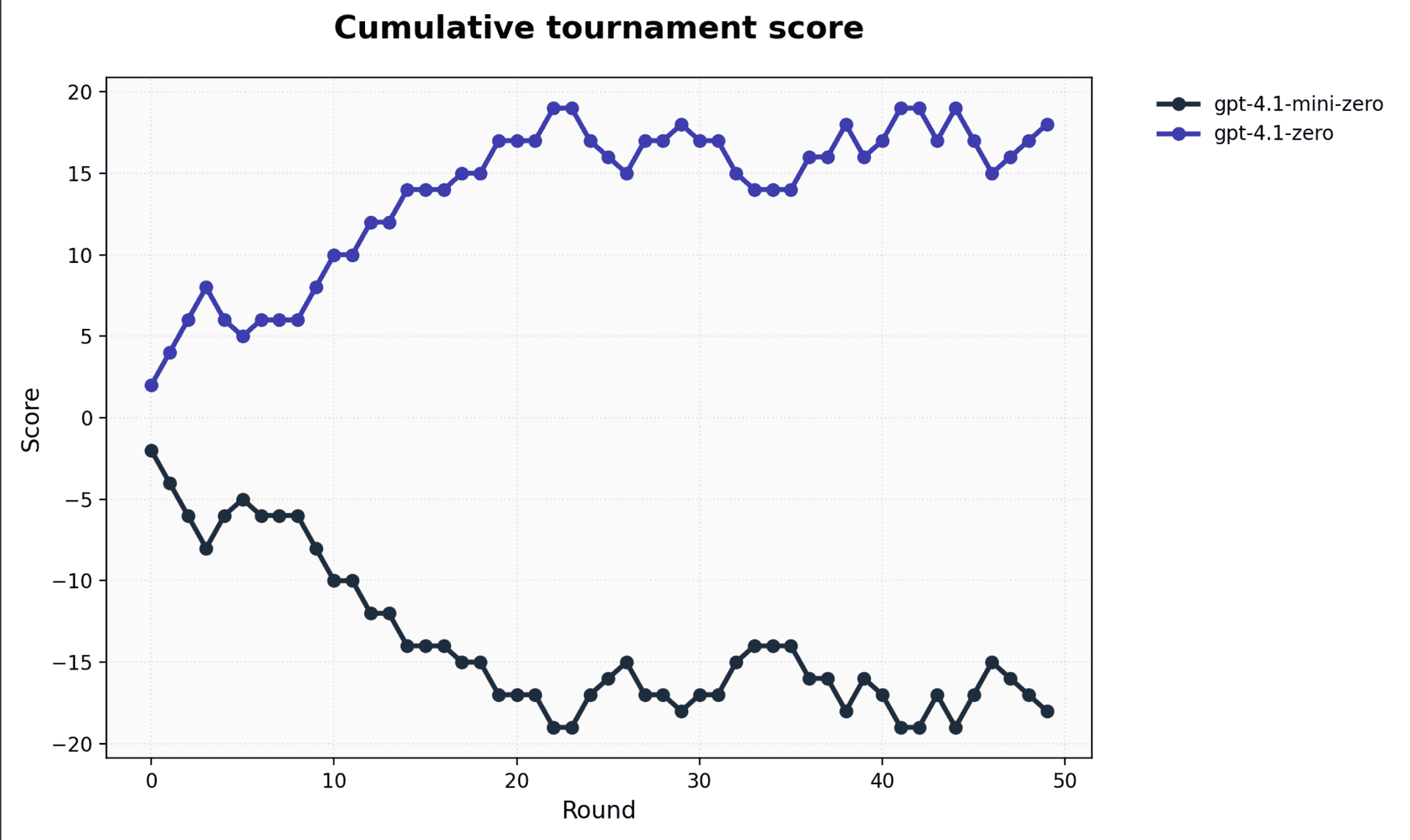
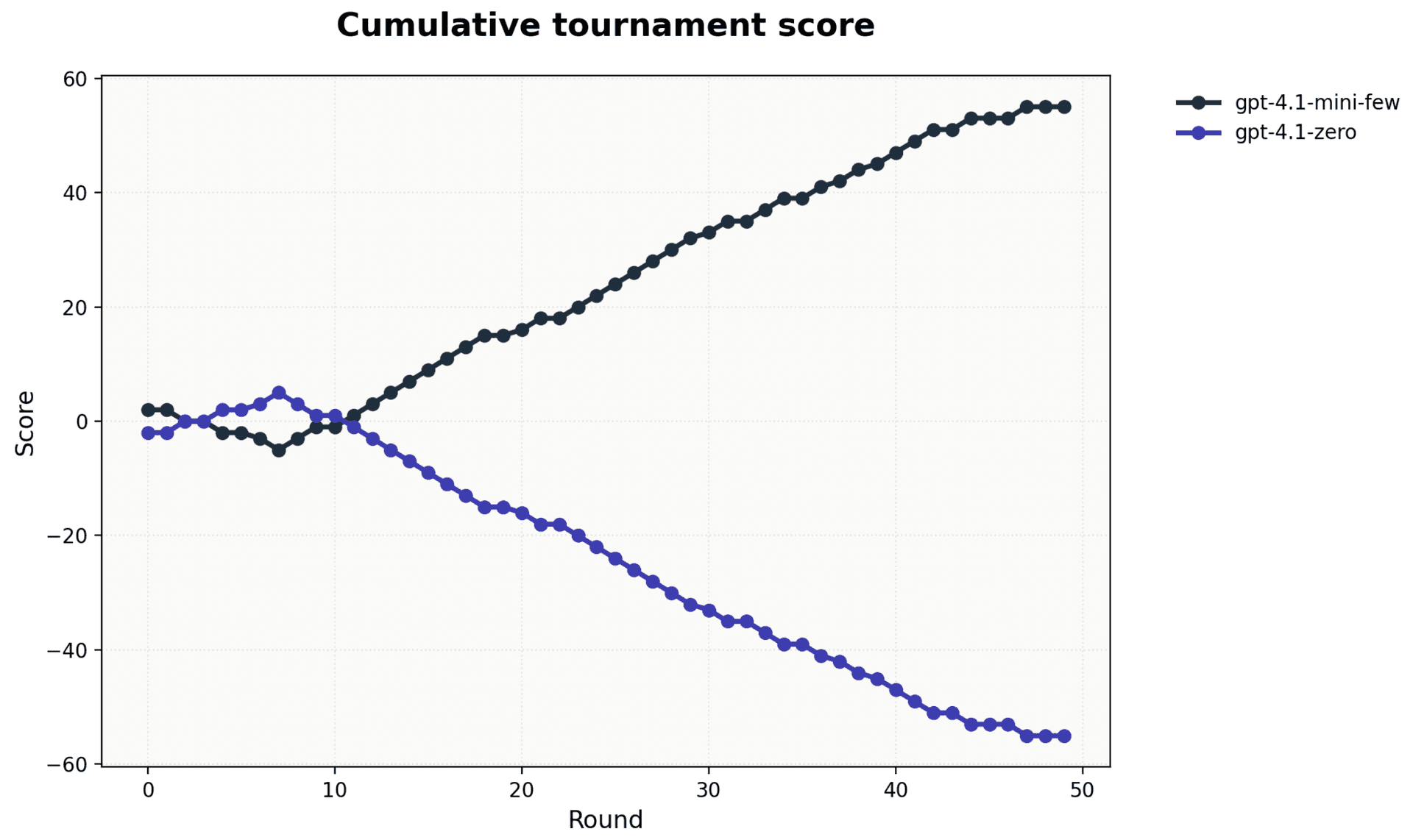
We also made gpt-4.1-mini beat its bigger sibling 4.1 at Tic-Tac-Toe , demonstrating how Opper already provides everything needed to build pipelines that automatically identify and store strong examples—and pass them dynamically at runtime. The following images show 2 tournaments, the first runs both models as-is. The second image shows how when passing relevant examples in the call we get the small model to outperform the other.
However, we believe this process should feed directly from the success metrics already embedded in real-world applications. Most user-facing products have built-in signals of quality: the simplest is a thumbs up/down, but many applications have richer metrics as well.
We’re on a mission to make building highly reliable agents effortless. Native support for automated in-context learning is a key part of that vision, as this will allow for natively allowing agents and agentic features to learn new domains automatically.
Today, we’re introducing our early work on Automated In-Context Learning, a feature that transforms user feedback and our automated evaluation scores into a continuous self-improving loop for your AI features.
Few Shot Prompting
In context learning is a technique where the model is taught a task by showing it examples of completions. Unlike other methods for teaching models, like fine tuning, few shot promoting doesn't actually modify weights. Instead it exploits the next token prediction process by showing it examples, which allows it for getting a deeper understanding of the pattern of the task.
- Each completion request (i.e. llm operation) can include a handful of examples. This can steer the requested tone, structure, choices and constraints.
- The Opper platform fully manages examples as dataset entries per task and dynamically selects the most relevant ones at runtime. It does this by identifying the examples that has seminatically similar inputs to the current completion request.
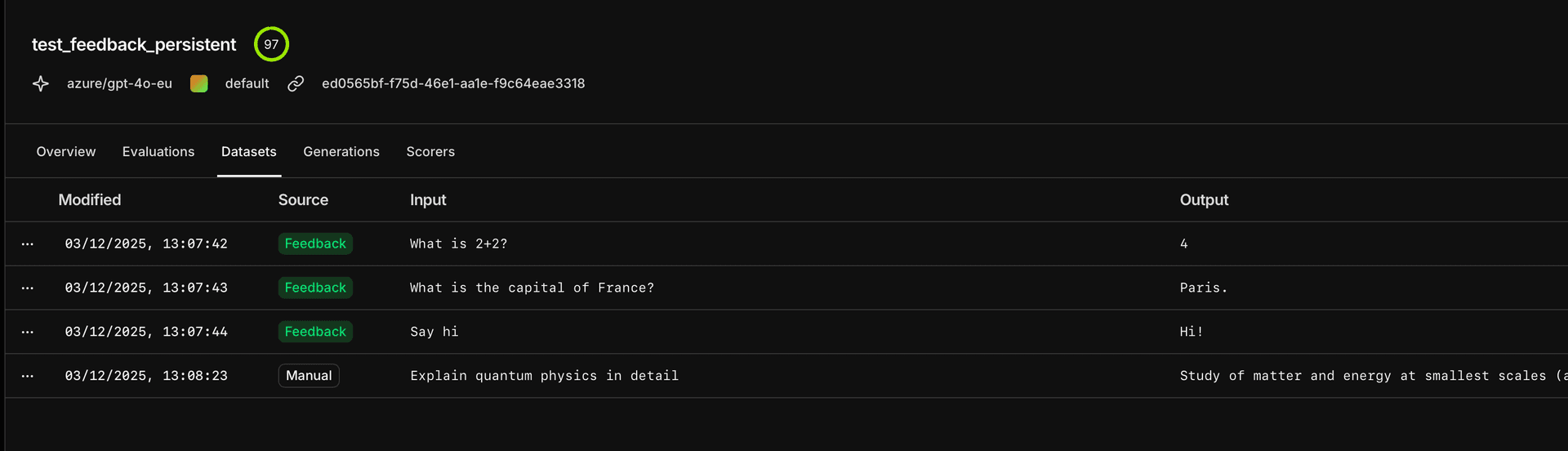
- Few-shot prompts are only as good as the examples inside them. Opper keeps these examples fresh by looping real user feedback and automated observer scores back into the dataset—so the model keeps learning from what works (and what doesn't).
The Feedback Loop
With Opper’s new Auto-Save capabilities, you can close the loop between usage and improvement.
We now support sending feedback directly into the platform: a score plus optional free text. The score provides a signal of quality; the free text helps guide improvements. Good examples rise in importance; stale ones naturally fall away.
The loop is simple:
- Generate – Your app calls an Opper function.
- Evaluate – You or your users provide feedback (👍/👎), or an automated evaluator (powered by the Observer) scores the result.
- Capture – High-quality generations are automatically sanitized and saved to the dataset.
- Improve – Future calls retrieve these newly added examples, improving the model’s behavior over time.
When few_shot=True, Opper mixes these sources intelligently, always prioritizing manual overrides and human feedback over automated signals.
Automatic Examples through our observer
Even when explicit feedback isn’t provided (though we encourage enabling it), Opper can still identify high-quality examples automatically and manage their lifecycle. Enter the Observer:
The observer
Evaluation, Optimization, Monitoring, Alerting
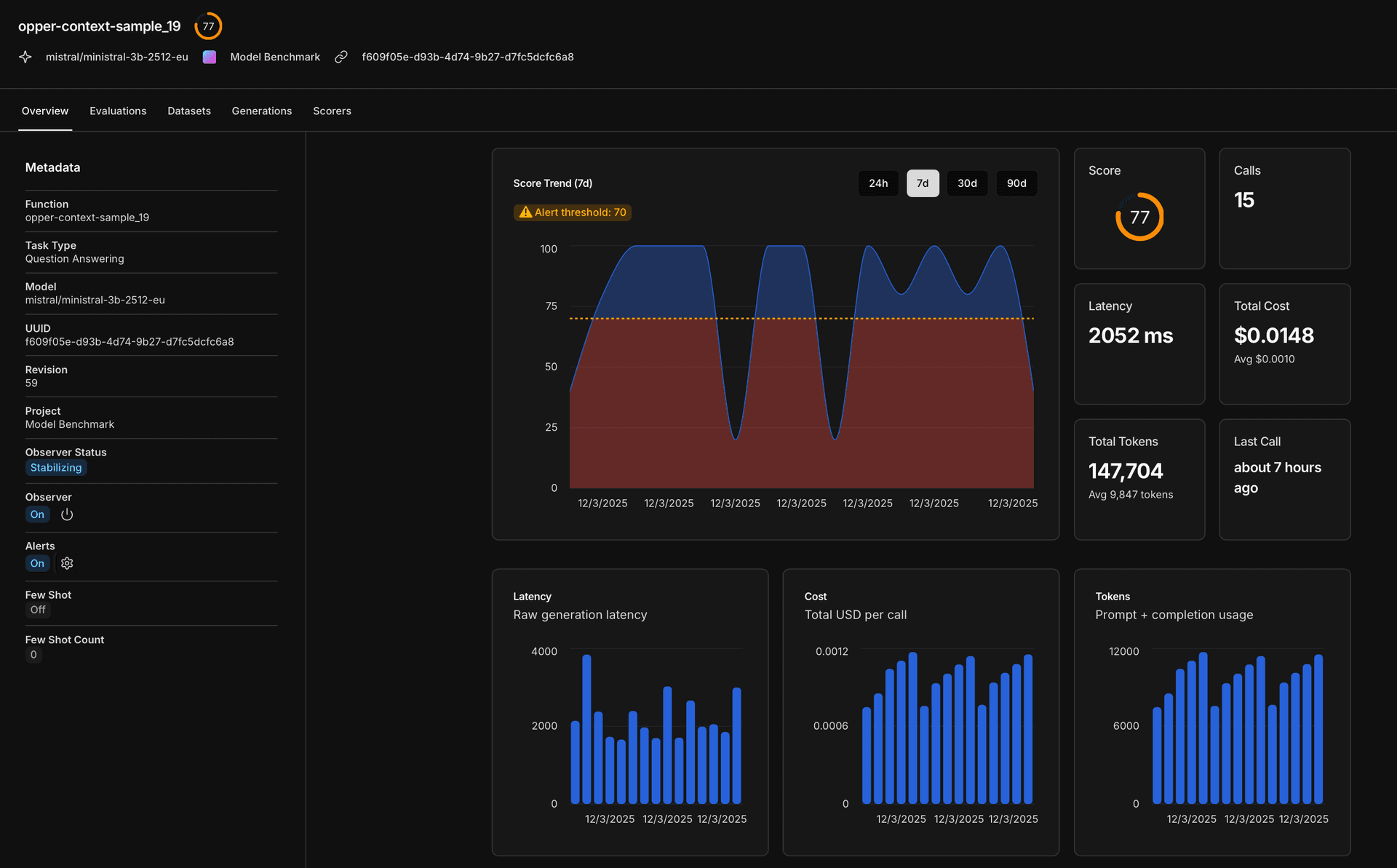
The Observer is a central part of our platform and is gradually being rolled out to all users. It acts in an agentic way, building understanding around every task that reaches Opper:
- What is this task about?
- What does success look like?
- What are common failure modes?
- How can we measure quality automatically?
- What actions should be taken when models drift or performance degrades?
Conclusion
The best prompt engineering is often just better data. By automating the collection of that data through natural feedback loops, you move from "maintaining prompts" to "curating behavior."
Check out the new Feedback features in the Opper Platform today!