Introducing Opper Skills for AI Coding Agents
By Jose Sabater -
TL;DR: We published Opper Skills, a set of installable skill packs that teach AI coding agents how to use the Opper platform. They work with 25+ agents including Claude Code, Cursor, and Windsurf. Install and start building:
npx skills add opper-ai/opper-skills
Use modern coding agents, with the centralised control and reliability offered by Opper. To set up Opper together with your favourite coding agent, run:
npx @opperai/setup
See Documentation for manual setup instructions.
We shipped skills
Today we are open-sourcing Opper Skills, a collection of skill packs built on the Agent Skills standard that give AI coding agents deep knowledge of the Opper platform.
Instead of copy-pasting documentation or writing long prompts to explain how Opper works, you can now install a skill and let your agent figure it out. The agent gets exactly the context it needs, when it needs it nothing more.
What are skills and why they matter
Skills are structured documentation packages designed specifically for AI coding agents. Unlike traditional docs, skills use progressive disclosure to keep the agent's context window efficient:
- The agent initially loads only skill names and descriptions (~100 tokens)
- When a skill is relevant, the full documentation activates
- Reference files and examples are fetched on-demand
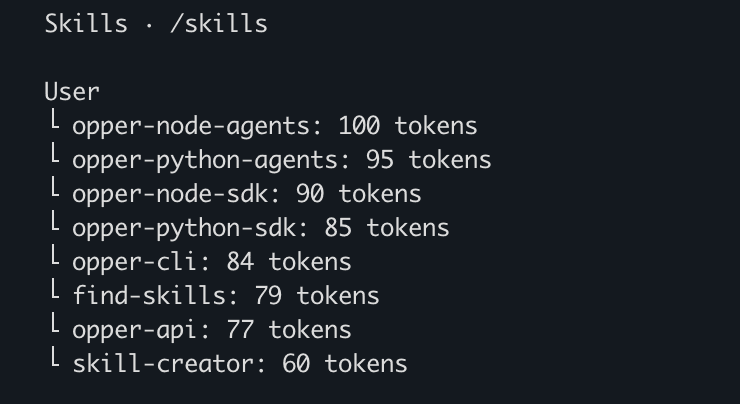
This means your agent doesn't waste context on things it doesn't need right now. It knows what's available and pulls in details only when you're actively working with that part of the platform.
For developers, this translates to a better experience: your agent writes correct Opper code on the first try instead of hallucinating APIs or asking you to look things up.
What skills we published
We released six skills covering the full Opper platform across multiple languages:
| Skill | What it does | Language |
|---|---|---|
opper-api | Direct REST API integration | HTTP |
opper-python-sdk | Task completion, structured output, and tracing | Python |
opper-node-sdk | Task completion, structured output, and tracing | TypeScript |
opper-python-agents | Multi-agent systems with tool use, memory, and streaming | Python |
opper-node-agents | Multi-agent systems with tool use, memory, and streaming | TypeScript |
opper-cli | Terminal-based function management and analytics | Bash |
Whether you're building a simple function call, a RAG pipeline, or a full multi-agent system, there's a skill that covers your use case.
The CLI skill is particularly handy for quick operations straight from your terminal:
# Call a function with a specific model
opper call --model anthropic/claude-haiku-4.5 myfunction "summarize this" "input text"

# Check token usage for a date range, grouped by model
opper usage list --from-date=2025-05-15 --to-date=2025-05-16 --group-by=model
Getting started
Installation
For Claude Code, install all skills with a single command:
npx skills add opper-ai/opper-skills
For other agents like Cursor or Windsurf, check the repository README for detailed setup instructions.
Usage
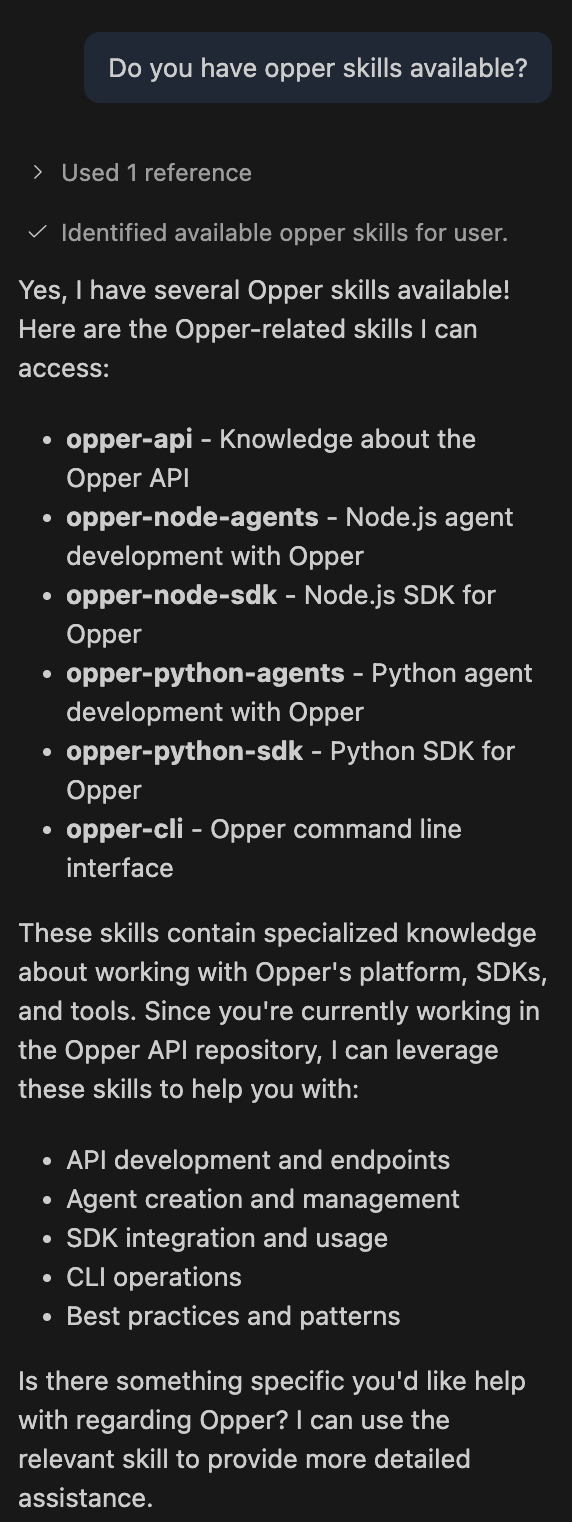
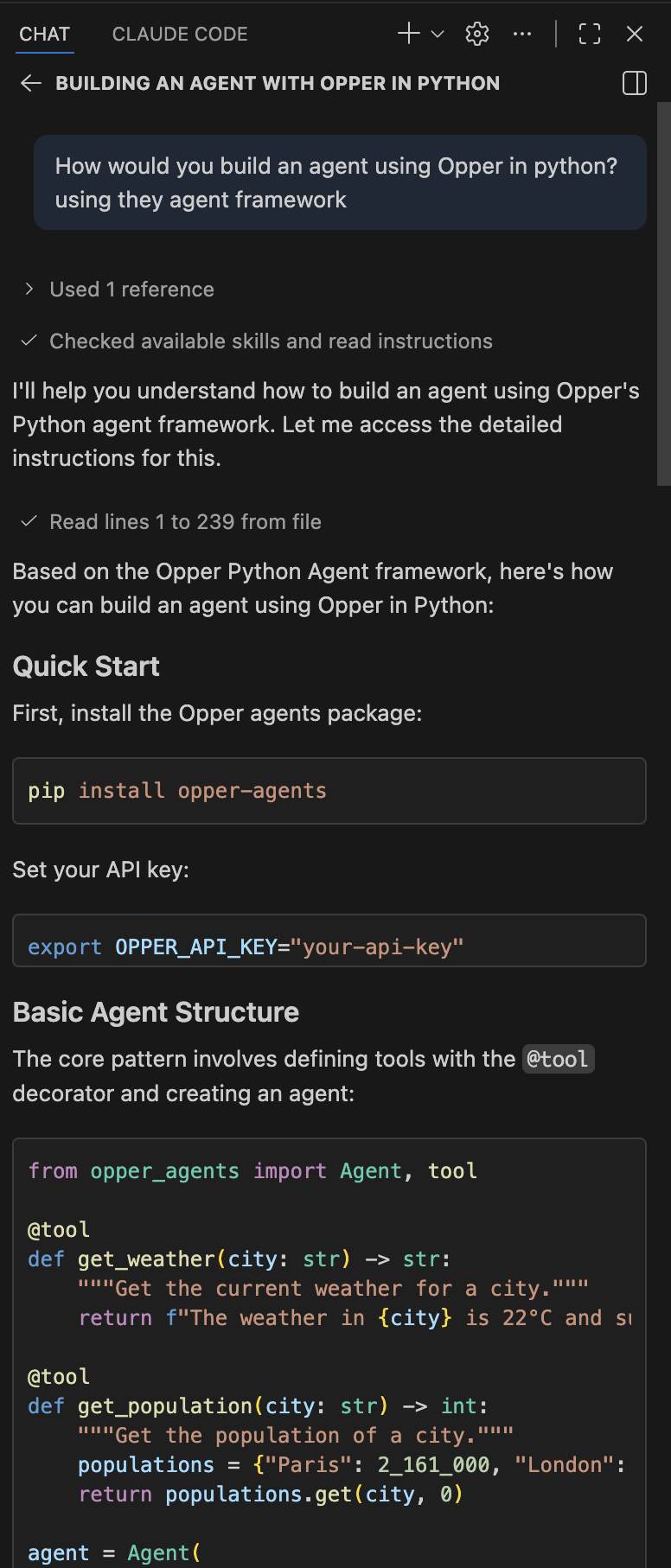
Once installed, your agent automatically knows how to use Opper. Just ask it to build something:
- "Create an Opper function that extracts key entities from a document"
- "Build a RAG pipeline using an Opper index"
- "Set up a Python agent with tool use that can search our knowledge base"
The agent will use the right SDK, follow the correct patterns, and produce working code — no prompt engineering required on your part.
What's next
We'll keep adding and refining skills as the platform evolves. If you have feedback or want to contribute, the repository is open at github.com/opper-ai/opper-skills.